
Videos
TravelScanning in action: the promo video and short screen recordings of the main features. The videos have no sound; each one has a text description.
The videos are screen recordings of the app with real search results. Prices and conditions are those of the day of recording and are not offers.
TravelScanning in action
20 seconds · no sound

Download MP4 · 1920 × 1080: TravelScanning in action Download MP4 · 1080 × 1920: TravelScanning in action
Transcript and description: TravelScanning in action
Screen recordings of the app with real search results captured on 1 October 2026: a surfing search from Paris, the ranked destinations, live surf conditions and hotels you book on partner sites.
- 0:00“Pick an activity, not a place” The TravelScanning app icon.
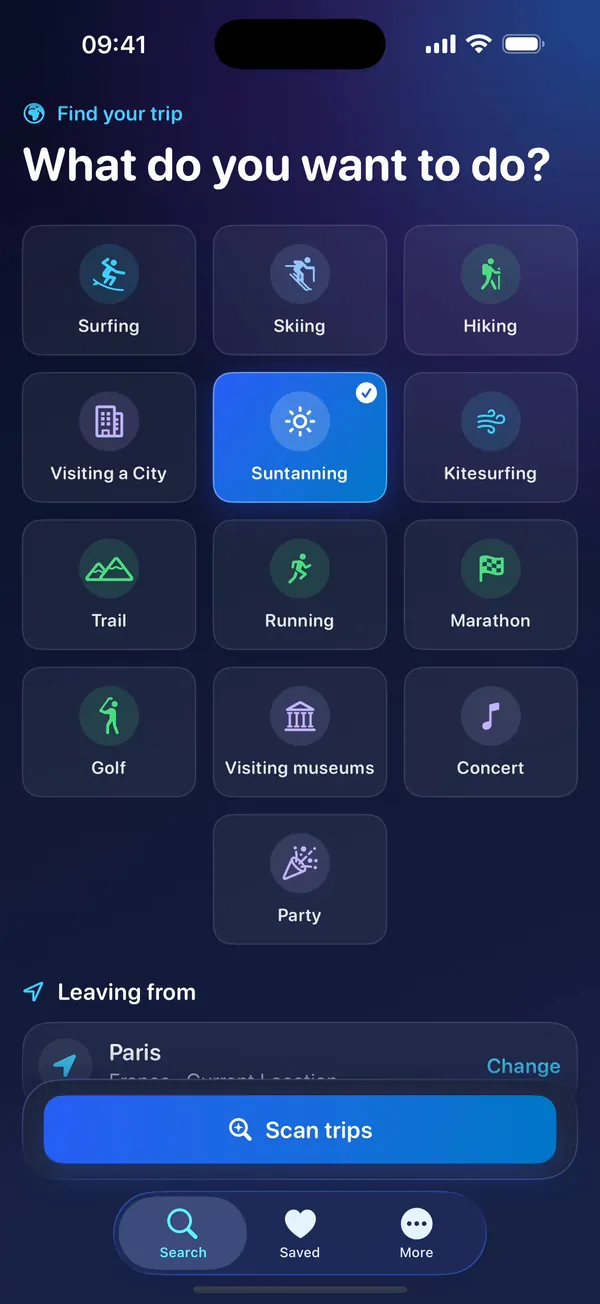
- 0:02Search — “Start with what you want to do” Screen recording: the Search screen. Surfing is picked in the grid of activities, the trip dates and the budget are shown, then Scan starts the search and the scanning screen lists what is being checked.
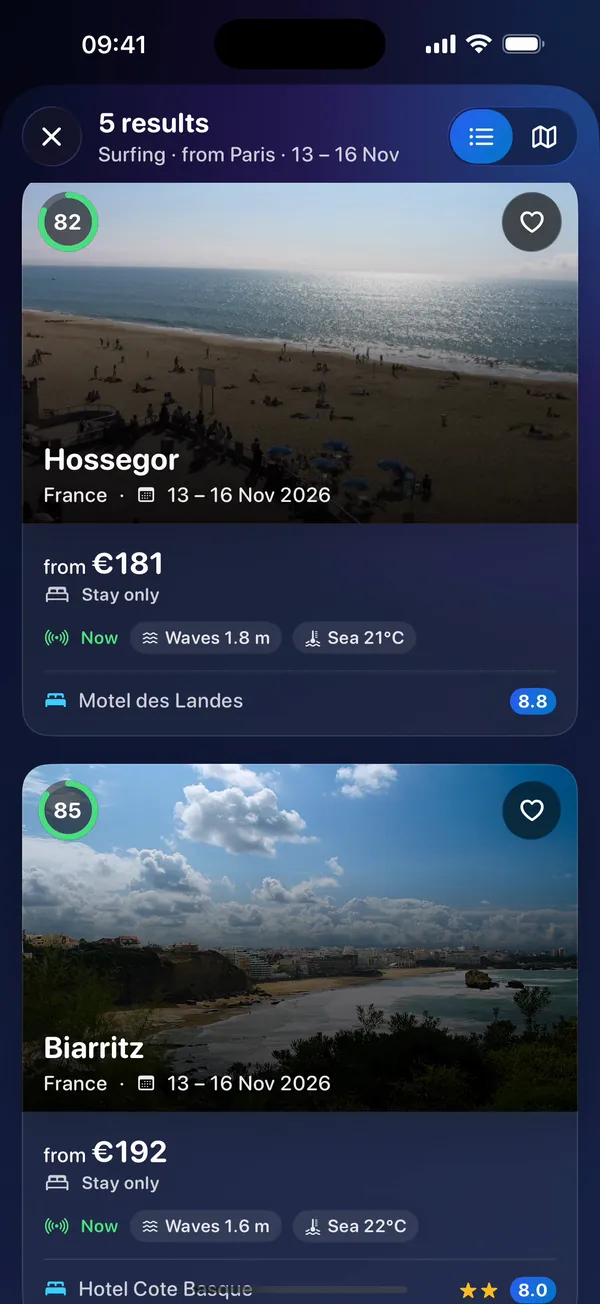
- 0:06Results — “Destinations ranked by match score or price” Screen recording: the results, photo cards of surf destinations with their match score, price and hotel, first ranked by best match; the “Lowest price” sort is tapped and the list scrolls.
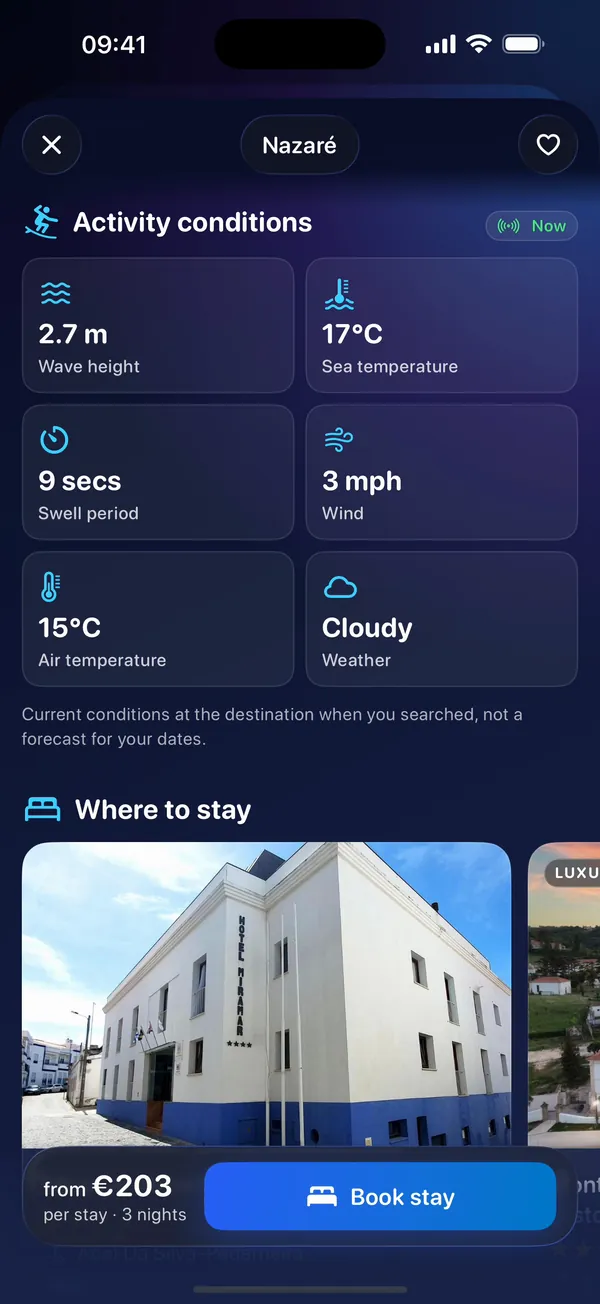
- 0:10Conditions — “Live conditions: waves, swell, sea temperature” Screen recording: a destination's page with its photo, then the conditions at the time of the search, such as wave height, swell and sea temperature.
- 0:13Stay & book — “Real hotels and prices, booked on partner sites” Screen recording: the stay section with a carousel of hotels from partners, and the bar at the bottom with the price summary and the button that opens the partner's site to book.
- 0:16TravelScanning — “Pick an activity, not a place” “Download on the App Store” travelscanning.com End card. Screen recordings of the app with real search results captured on 1 October 2026 · Hotel prices come from partners and can change · You book on the partner’s site
- 0:02–0:16Real app · real search results captured 1 Oct 2026 Shown next to the screen recordings
Search
10.4 seconds · no sound
 Play: Search
Screen recording of the Search screen: Surfing is picked in the grid of activities, with the starting point, dates and budget already filled in; Scan starts the search and a scanning screen lists what is being checked until the results appear.
Play: Search
Screen recording of the Search screen: Surfing is picked in the grid of activities, with the starting point, dates and budget already filled in; Scan starts the search and a scanning screen lists what is being checked until the results appear.
Results
10.9 seconds · no sound
 Play: Results
Screen recording of the results: destinations ranked with a match score, each with a photo, the dates and a price from partners. The list is sorted by lowest price, then shown on a map with price pins.
Play: Results
Screen recording of the results: destinations ranked with a match score, each with a photo, the dates and a price from partners. The list is sorted by lowest price, then shown on a map with price pins.
Map
7.4 seconds · no sound
 Play: Map
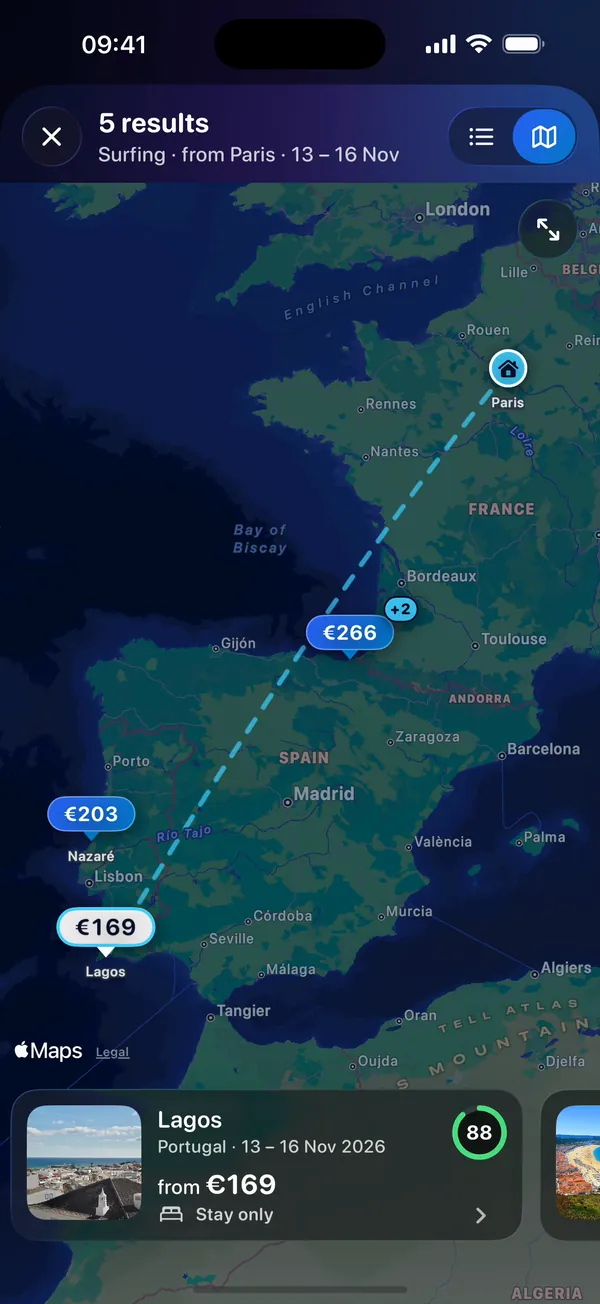
Screen recording of the results on a map, with a price pin at each destination; tapping a pin shows its trip, and swiping the trip cards moves from pin to pin.
Play: Map
Screen recording of the results on a map, with a price pin at each destination; tapping a pin shows its trip, and swiping the trip cards moves from pin to pin.
Trip details
11.5 seconds · no sound
 Play: Trip details
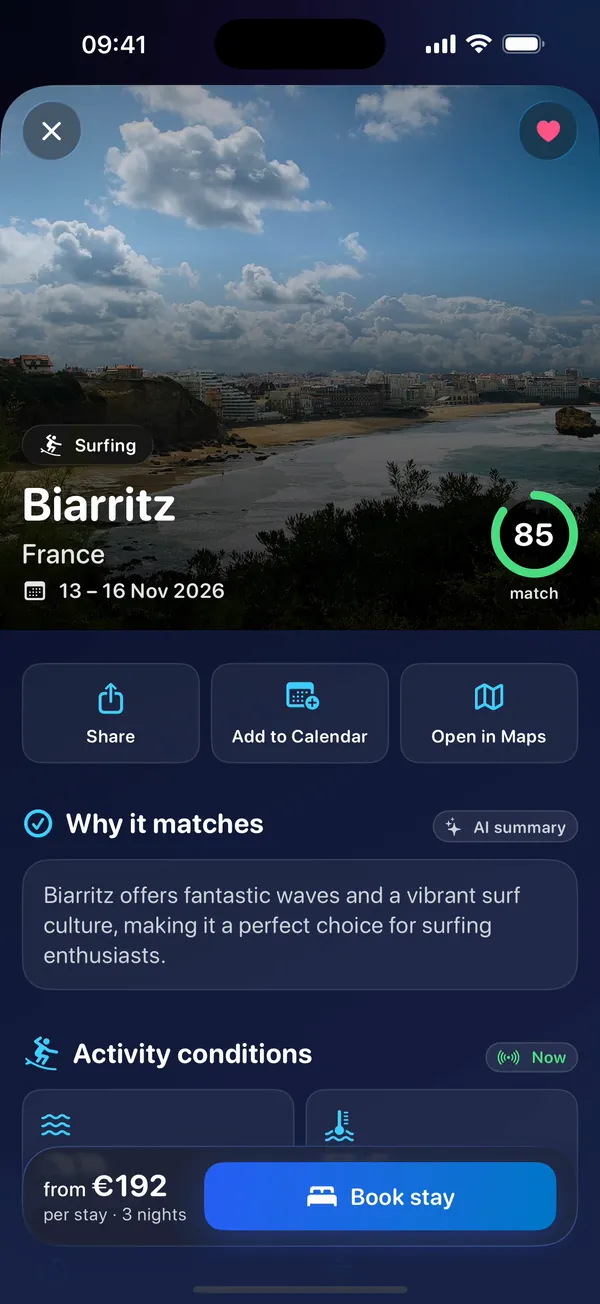
Screen recording of one trip: a large photo with the match score, the current conditions such as wave height, swell and sea temperature, a carousel of partner hotels, and the bar with the price and the button to book on the partner’s site.
Play: Trip details
Screen recording of one trip: a large photo with the match score, the current conditions such as wave height, swell and sea temperature, a carousel of partner hotels, and the bar with the price and the button to book on the partner’s site.
Saved trips
9.6 seconds · no sound
 Play: Saved trips
Screen recording of the Saved tab with three saved trips: one is opened and shared with the iPhone share sheet.
Play: Saved trips
Screen recording of the Saved tab with three saved trips: one is opened and shared with the iPhone share sheet.