
For iPhone · 13 activities · 90 languages
Pick an activity, not a place.
Tell TravelScanning what you want to do and when. It finds destinations that suit it — with real hotels, the conditions there right now and ways to get there — then sends you to the partner’s website to book.
Download on the App Store How it works
iPhone with iOS 26.1 or later
Transcript and description
Screen recordings of the app with real search results captured on 1 October 2026: a surfing search from Paris, the ranked destinations, live surf conditions and hotels you book on partner sites.
On screen
- 0:00“Pick an activity, not a place” The TravelScanning app icon.
- 0:02Search — “Start with what you want to do” Screen recording: the Search screen. Surfing is picked in the grid of activities, the trip dates and the budget are shown, then Scan starts the search and the scanning screen lists what is being checked.
- 0:06Results — “Destinations ranked by match score or price” Screen recording: the results, photo cards of surf destinations with their match score, price and hotel, first ranked by best match; the “Lowest price” sort is tapped and the list scrolls.
- 0:10Conditions — “Live conditions: waves, swell, sea temperature” Screen recording: a destination's page with its photo, then the conditions at the time of the search, such as wave height, swell and sea temperature.
- 0:13Stay & book — “Real hotels and prices, booked on partner sites” Screen recording: the stay section with a carousel of hotels from partners, and the bar at the bottom with the price summary and the button that opens the partner's site to book.
- 0:16TravelScanning — “Pick an activity, not a place” “Download on the App Store” travelscanning.com End card. Screen recordings of the app with real search results captured on 1 October 2026 · Hotel prices come from partners and can change · You book on the partner’s site
- 0:02–0:16Real app · real search results captured 1 Oct 2026 Shown next to the screen recordings
Screen recordings of the TravelScanning app with real search results. Prices and conditions are those of the day of recording, not offers.
What it does
From an idea to a trip you can book
TravelScanning finds and compares; partners sell. Nothing is booked or paid in the app.
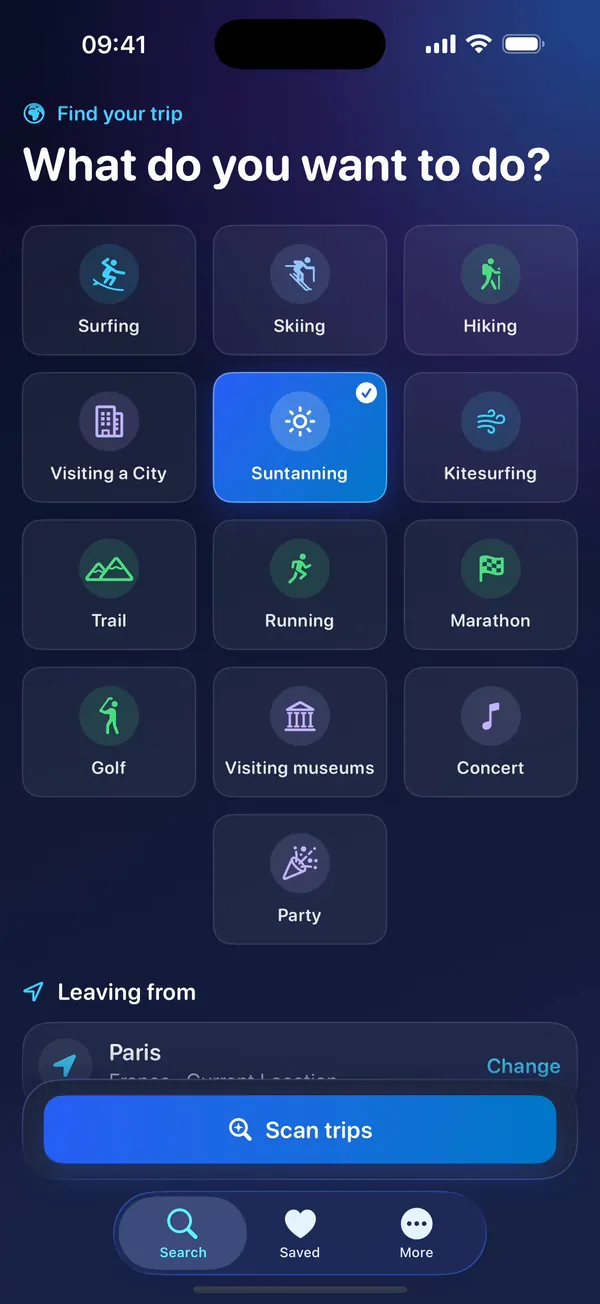
Start with what you want to do
Choose one of 13 activities, then your starting point — your current location or any city — your dates, your budget and how you want to travel: plane, train, bus or no transport at all.
- A weekend, a week or exact dates
- Your recent searches, one tap to run again
- While it searches, the app shows what it is checking
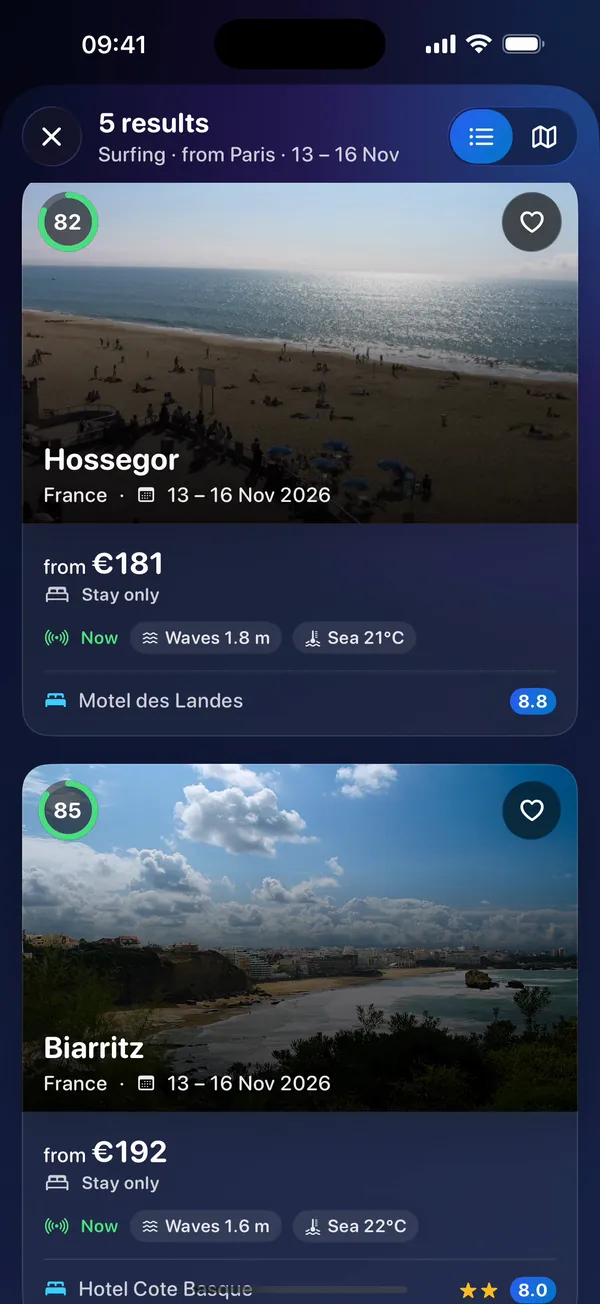
Destinations ranked for you
AI-assisted ranking gives every destination a match score for your activity. Each result shows a photo, your dates, a price from partners and the conditions that matter.
- Sort by best match, lowest price or top rated
- Switch between the list and a map with price pins
- Hotel name and rating at a glance
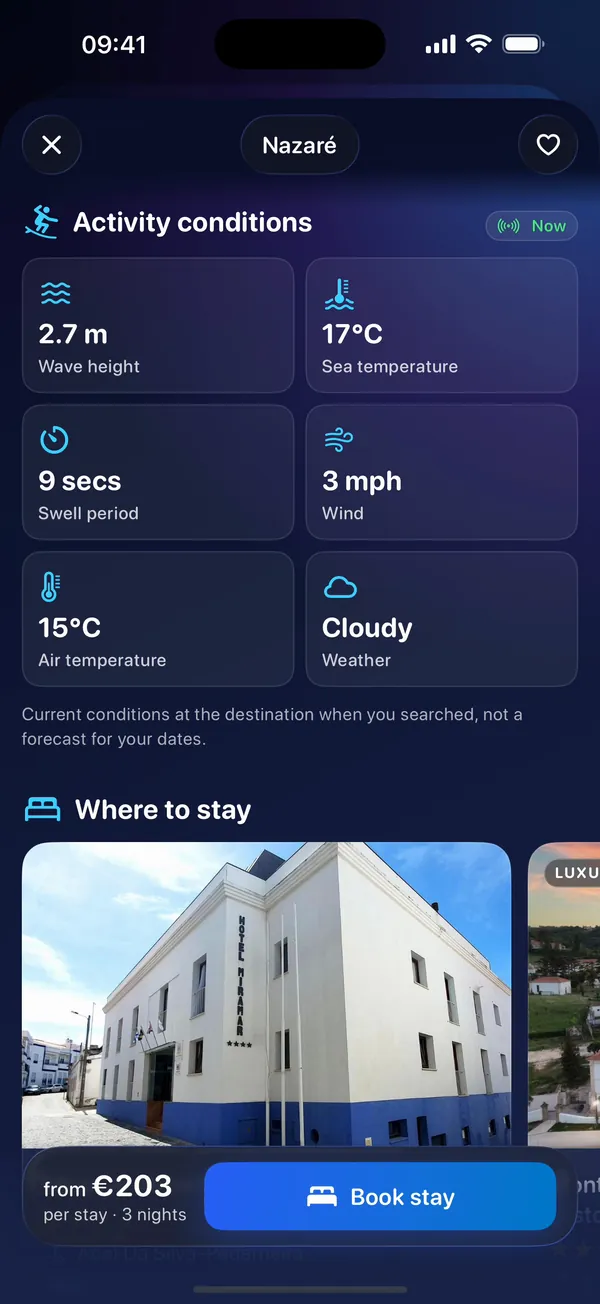
Everything about one trip
Open a destination to see the conditions there now — for surfing, for example, wave height, swell and sea temperature — real hotels with photos, ratings and prices, and how to get there.
- Conditions shown as they are now, never as a forecast
- Other hotel partners to compare
- Links to compare live flight, train and bus fares
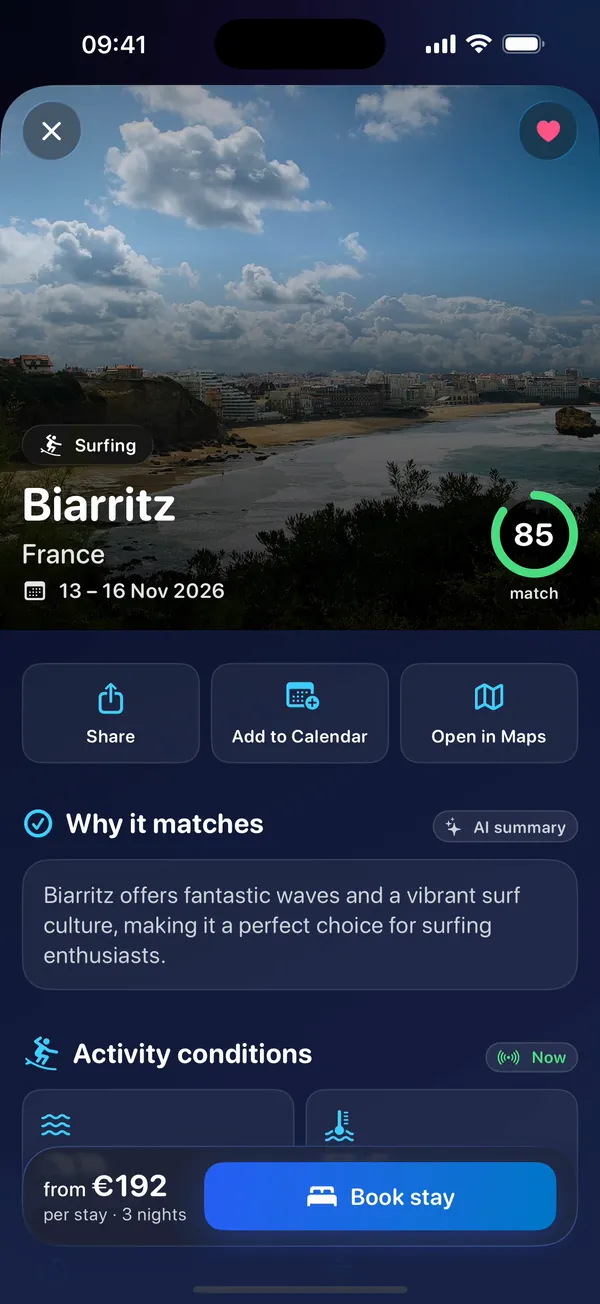
Save, share and plan
Keep the trips you like, share one with a friend, add the dates to your calendar or open the destination in Maps. Every search goes into your history, ready to run again.
- Saved trips and history stay on your iPhone
- Add to Calendar without giving the app access to your calendar
- Clear your history whenever you like
-
Book with the partner you choose
When you are ready, TravelScanning opens the partner’s website: a hotel or booking site, or a flight, train or bus search. You book and pay there, at the partner’s price and under its terms.
-
In 90 languages
The app is translated into 90 languages, from English, French, German, Spanish and Italian to Japanese, Arabic and Ukrainian.
-
No account, no tracking
No sign-up, no analytics and no advertising. Your saved trips, history and preferences stay on your iPhone. How your data is used
13 activities
What do you want to do?
Every search starts with an activity. TravelScanning suggests places that suit it, for your dates, your budget and your starting point.
- Suntanning
- Surfing
- Skiing
- Kitesurfing
- Hiking
- Visiting a city
- Visiting a museum
- Golf
- Running
- Marathon
- Trail running
- Concert
- Party
Every result shows the weather at the destination right now. For surfing, kitesurfing and suntanning it also shows the sea right now: wave height, swell and sea temperature.
How it works
Four steps, then you book with a partner
-
Say what you want
An activity, where you leave from, your dates, a budget and a way to travel.
-
Let it scan
TravelScanning checks destinations, the conditions there, hotels and ways to get there. It takes a little while, and the app shows what it is checking.
-
Compare
Results are ranked by how well they match. Sort them, see them on a map, open the ones you like and save them.
-
Book with a partner
Tap through to the partner’s website to book. Prices are “from” prices and can change at checkout: the partner’s price is the one you pay.
Screens
Real screens of TravelScanning on iPhone, with real search results captured on 1 October 2026.
-
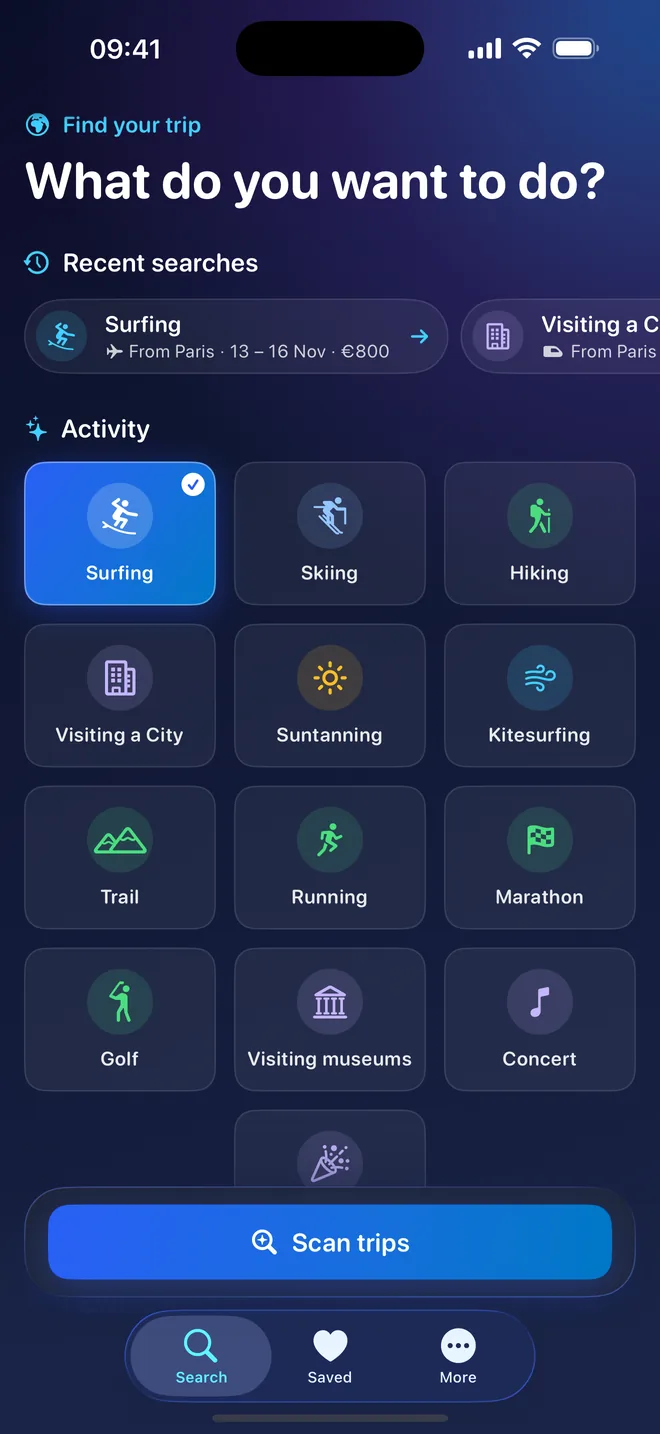
Search -
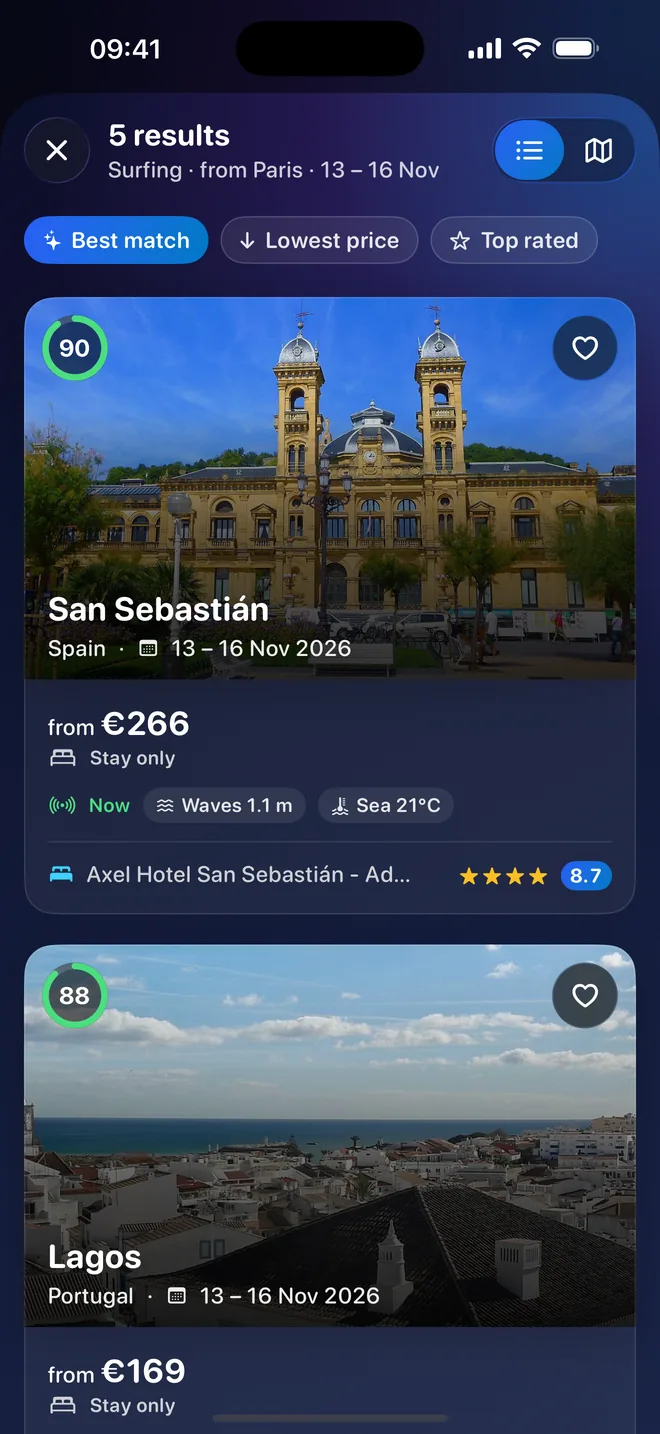
Results -
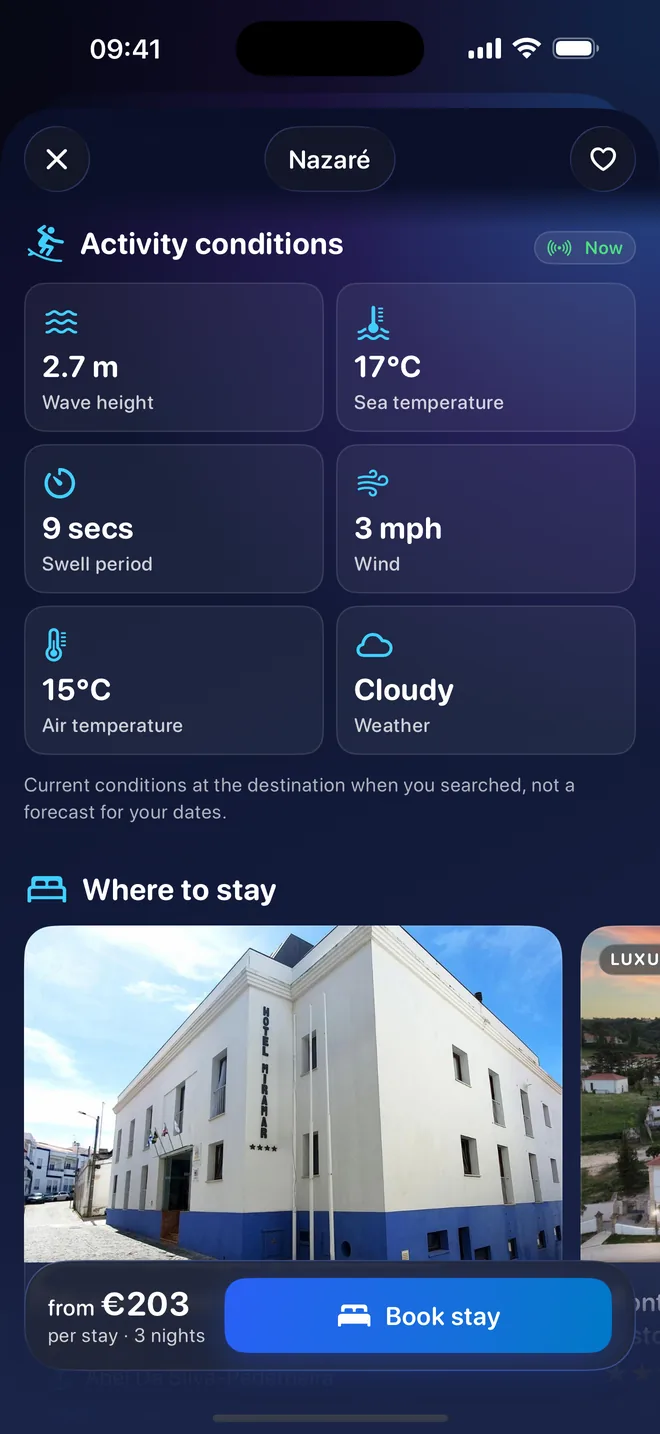
Conditions now -
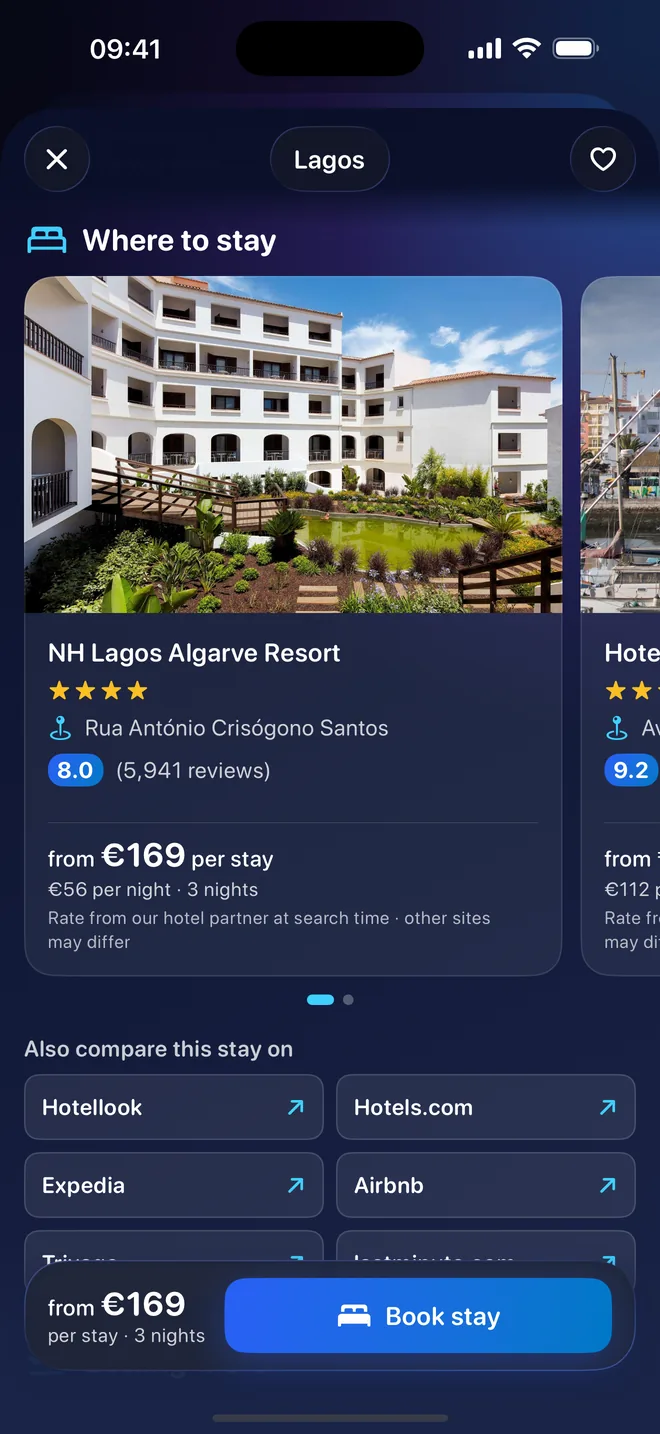
Where to stay -
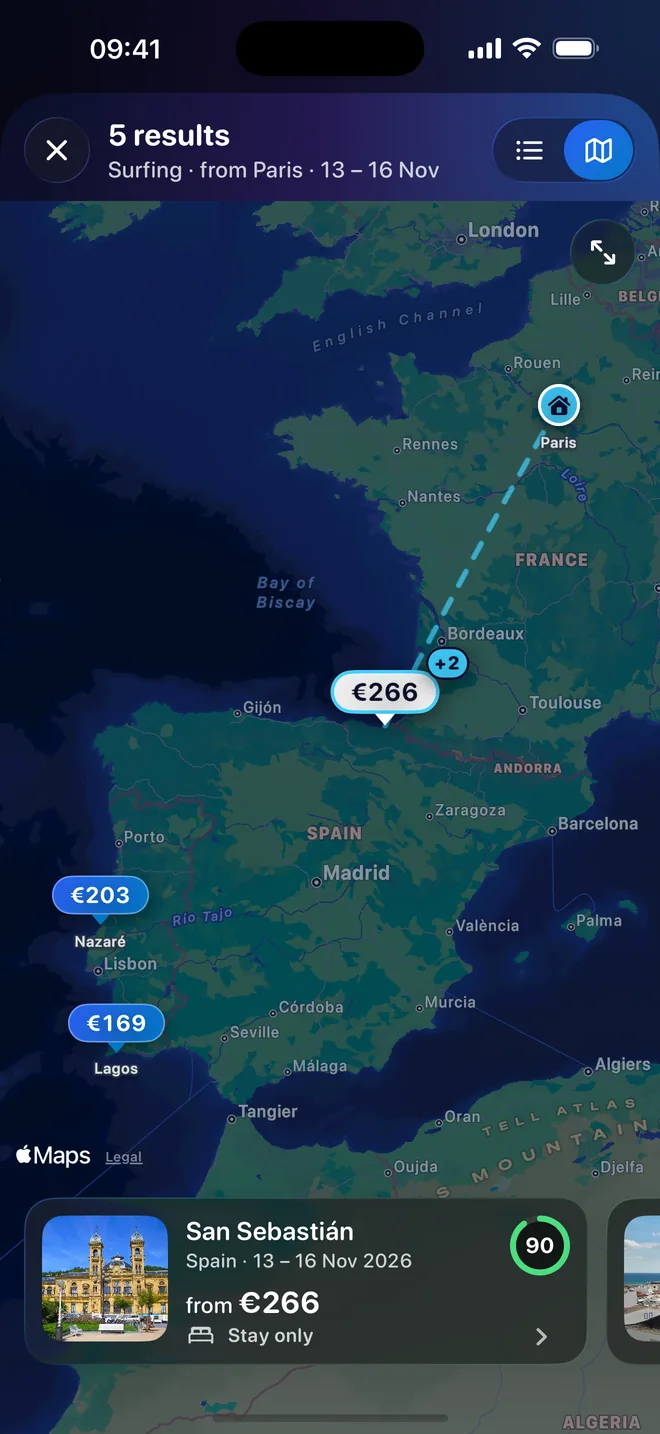
Map -
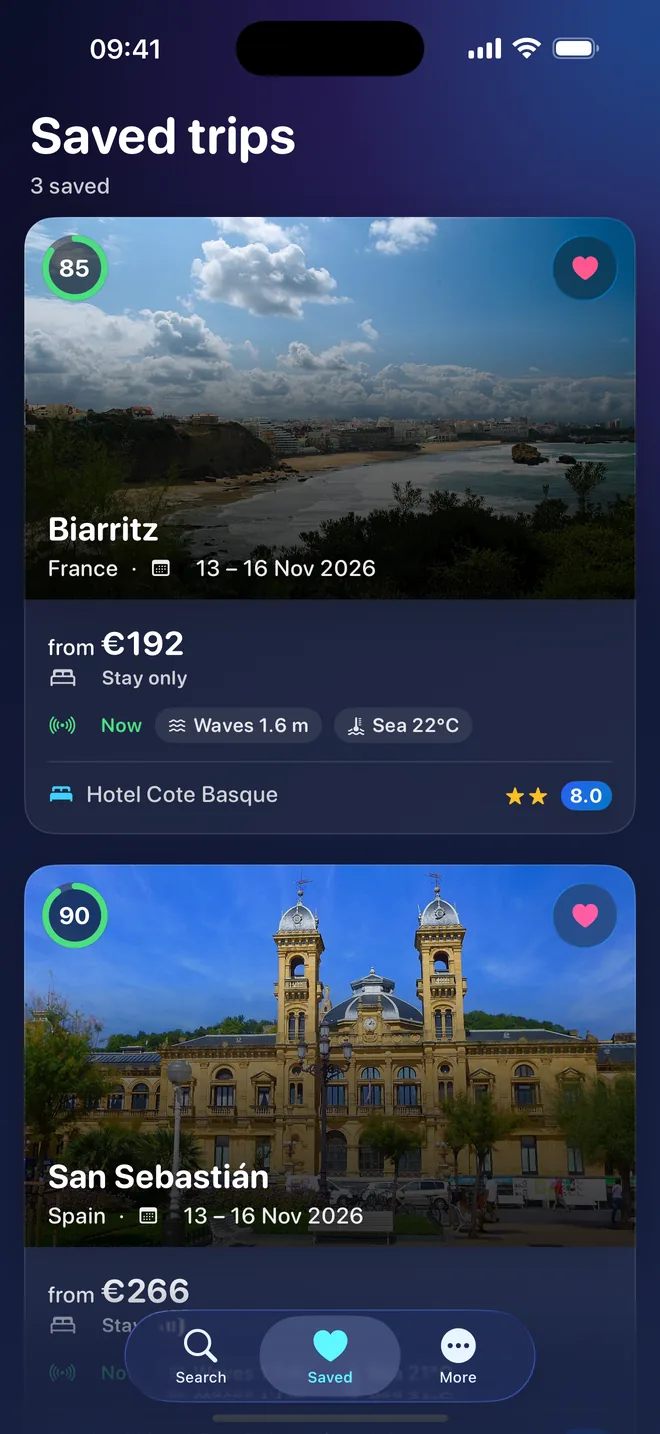
Saved trips
Questions
Do I need a subscription?
Yes. Using TravelScanning requires a subscription, monthly or yearly, bought through the App Store. The price for your country is shown in the App Store and in the app before you subscribe. The subscription renews automatically until you cancel it. See the subscription terms.
Do I book and pay in the app?
No. TravelScanning never takes payment. When you tap Book, the partner’s website opens and you book there, under the partner’s terms, price and cancellation rules. For any question about a booking, contact that partner.
Are the prices final?
No. Hotel prices are “from” prices given by partners at the time of your search. The partner sets the final price, taxes and availability at checkout, and they can differ.
What happens to my location?
If you choose your current location, the app uses it as the starting point and sends it to our server with that search; you can pick a city instead. The server passes your starting point to the AI service that proposes destinations and does not store your coordinates. Details are in the privacy policy.
Do I need an account?
No. There is no TravelScanning account. Your subscription is linked to your Apple Account.

TravelScanning for iPhone
Plan your next trip around what you love to do.
- iPhone with iOS 26.1 or later
- Subscription required, monthly or yearly, renewing automatically. The price is shown before you subscribe.
- No account, no tracking